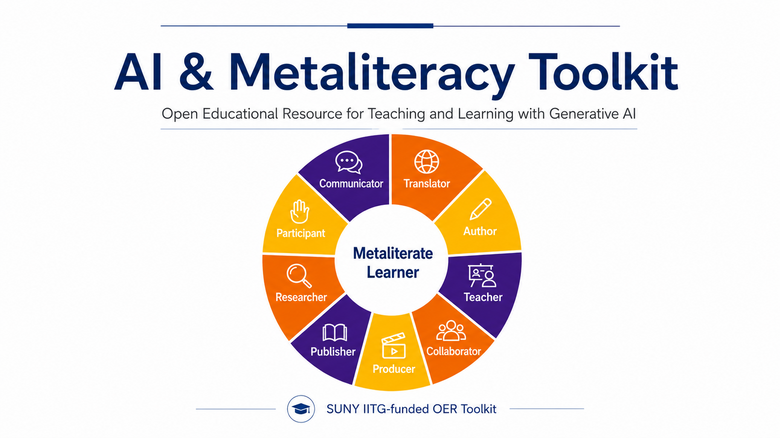
The AI & Metaliteracy OER Toolkit for Teaching and Learning brings together instructional materials for exploring generative AI through the framework of metaliteracy. It includes learning activities, assignments, reflections, rubrics, and supporting resources that educators can use and adapt for their own teaching and learning contexts.
The complete toolkit can be accessed through OER Commons, downloaded as a PDF, or imported into a learning management system using either the Brightspace Cartridge or Common Cartridge. The five AI Avatar videos created for the toolkit are also available as a separate YouTube playlist.
Choose How You Want to Access the Toolkit
1. Access the Toolkit through OER Commons
The complete toolkit is available through OER Commons, where you can review the five modules and download the available toolkit materials with a common cartridge.
Explore the AI & Metaliteracy OER Toolkit on OER Commons
2. Download the Toolkit Content via a PDF Document
Prefer to read or review the toolkit as a single document? Download the PDF to read, save, or share without importing the materials into an LMS.
Download the AI & Metaliteracy OER Toolkit (PDF)
3. Import the Toolkit into a Learning Management System
Choose the course cartridge that corresponds to the learning management system you use.
Brightspace
If you use Brightspace, download the Brightspace Cartridge. This version is designed to retain Brightspace-specific content, layouts, and settings.
Download the Brightspace Cartridge (.zip)
To import the cartridge into Brightspace:
- Download the Brightspace Cartridge above.
- Open the Brightspace course where you want to add the toolkit.
- Select Course Admin.
- Select Import/Export/Copy Components.
- Choose Import Components and select Start.
- Upload the toolkit cartridge.
- Select Import All Components.
- When the import is complete, review the content, assignments, rubrics, links, and settings.
[Watch the Step-by-Step Brightspace Import Tutorial]
Other Learning Management Systems
If you use another compatible LMS, download the Common Cartridge. This format is designed to transfer course content between different learning management systems, although some Brightspace-specific features or formatting may not transfer.
[Download the Common Cartridge (.imscc)]
Import instructions are available for Blackboard, Canvas, and Moodle.
After importing the toolkit, review the content, links, activities, and settings before using the materials with learners.
4. Access the Toolkit Videos
The five videos developed for the toolkit are available together on the Metaliteracy YouTube Channel. View the complete series or use individual videos in your own teaching and learning activities.
[View the AI & Metaliteracy OER Toolkit Video Playlist]
Use and Adapt the Toolkit
The toolkit is designed for flexible use. Educators may use the complete sequence, select individual modules, or incorporate specific activities, assignments, reflections, and other materials into existing courses and learning experiences.
As an open educational resource (OER), the toolkit is available to use, adapt, and build upon. If you use or adapt the toolkit, we invite you to share your experience with us at Metaliteracy.org.
AI & Metaliteracy OER Toolkit for Teaching and Learning by Nicola Marae Allain, Tom Mackey, Eugenio Solis de Ovando, and Alena Rodick, Empire State University, is licensed under a Creative Commons Attribution-ShareAlike 4.0 International License.
 Metaliteracy.org